






TapTap Maker 开发心得:游戏切屏换场景转场指南
精华04/0170 浏览开发心得 包含 AI 合成内容
作者:浠涫
为什么转场特效很重要?
转场特效是游戏中连接不同场景的桥梁,好的转场能让游戏体验更流畅,更有专业感。我在开发《节拍前夜》和《方格屋》时,深刻体会到一个合适的转场效果能显著提升游戏品质。
转场的核心价值
提升体验:平滑的转场减少场景切换的突兀感
强化叙事:通过转场控制游戏节奏和情绪
掩盖加载:转场过程中可以进行资源加载
打造特色:独特的转场能成为游戏的标志性元素
常见转场类型及实现
1. 淡入淡出转场
适用场景:任何游戏类型,特别是需要营造氛围的场景
实现思路:通过改变面板透明度实现场景切换
TapTap Maker 代码示例:
```lua
function FadeTransition(toScene, duration)
local fadeLayer = UI.Panel {
width = "100%", height = "100%",
backgroundColor = { 0, 0, 0, 0 },
zIndex = 9999
}
local elapsed = 0
SubscribeToEvent("Update", function(eventType, eventData)
local dt = eventData["TimeStep"]:GetFloat()
elapsed = elapsed + dt
local t = math.min(elapsed / duration, 1.0)
-- 淡出阶段
if t <= 0.5 then
local alpha = math.floor(t * 2 * 255)
fadeLayer:SetStyle({ backgroundColor = { 0, 0, 0, alpha } })
-- 场景切换
elseif t > 0.5 and t <= 0.51 then
SetState(toScene)
-- 淡入阶段
else
local alpha = math.floor((1 - (t - 0.5) * 2) * 255)
fadeLayer:SetStyle({ backgroundColor = { 0, 0, 0, alpha } })
end
if t >= 1.0 then
fadeLayer:Destroy()
UnsubscribeFromEvent("Update")
end
end)
end
```
实战技巧:
配合BGM淡入淡出,实现音画同步
可以使用不同颜色的渐变,营造不同氛围
适合作为其他转场的fallback方案
2. 滑动转场
适用场景:界面切换、关卡过渡
实现思路:新场景从屏幕边缘滑入覆盖旧场景
TapTap Maker 代码示例:
```lua
function SlideTransition(toScene, direction, duration)
local slidePanel = UI.Panel {
width = "100%", height = "100%",
backgroundColor = { 0, 0, 0, 255 },
zIndex = 9999
}
-- 初始位置
local startX, startY = 0, 0
if direction == "left" then startX = "100%"
elseif direction == "right" then startX = "-100%"
elseif direction == "up" then startY = "100%"
elseif direction == "down" then startY = "-100%"
end
slidePanel:SetStyle({ left = startX, top = startY })
local elapsed = 0
SubscribeToEvent("Update", function(eventType, eventData)
local dt = eventData["TimeStep"]:GetFloat()
elapsed = elapsed + dt
local t = math.min(elapsed / duration, 1.0)
-- 缓动函数
local easedT = 1 - math.pow(1 - t, 3) -- easeOutCubic
-- 计算位置
local currentX, currentY = 0, 0
if direction == "left" then
currentX = tostring((1 - easedT) * 100) .. "%"
elseif direction == "right" then
currentX = tostring(-(1 - easedT) * 100) .. "%"
elseif direction == "up" then
currentY = tostring((1 - easedT) * 100) .. "%"
elseif direction == "down" then
currentY = tostring(-(1 - easedT) * 100) .. "%"
end
slidePanel:SetStyle({ left = currentX, top = currentY })
-- 场景切换
if t > 0.5 and t <= 0.51 then
SetState(toScene)
end
if t >= 1.0 then
slidePanel:Destroy()
UnsubscribeFromEvent("Update")
end
end)
end
```
实战技巧:
根据游戏风格选择合适的滑动方向
可以添加弹性效果,让滑动更自然
适合用于菜单切换和关卡选择
3. 网格翻转转场
适用场景:叙事游戏的场景过渡、重要剧情节点
实现思路:通过网格状的翻转效果实现场景切换
TapTap Maker 代码示例:
```lua
function GridTransition(toScene, gridSize, duration)
local gridContainer = UI.Panel {
width = "100%", height = "100%",
zIndex = 9999
}
local cells = {}
local cellWidth = 100 / gridSize
local cellHeight = 100 / gridSize
-- 创建网格细胞
for i = 1, gridSize do
for j = 1, gridSize do
local cell = UI.Panel {
width = tostring(cellWidth) .. "%",
height = tostring(cellHeight) .. "%",
left = tostring((j-1) * cellWidth) .. "%",
top = tostring((i-1) * cellHeight) .. "%",
backgroundColor = { 0, 0, 0, 255 },
zIndex = 9999
}
gridContainer:AddChild(cell)
table.insert(cells, {
widget = cell,
delay = (i + j) * 0.05 -- 交错延迟
})
end
end
local elapsed = 0
SubscribeToEvent("Update", function(eventType, eventData)
local dt = eventData["TimeStep"]:GetFloat()
elapsed = elapsed + dt
local allDone = true
for _, cell in ipairs(cells) do
local cellElapsed = math.max(0, elapsed - cell.delay)
local t = math.min(cellElapsed / duration, 1.0)
if t < 1.0 then
allDone = false
-- 计算缩放和透明度
local scale = 1 - t
local alpha = math.floor((1 - t) * 255)
cell.widget:SetStyle({
scale = scale,
opacity = alpha
})
end
end
-- 场景切换
if elapsed > duration * 0.5 and elapsed <= duration * 0.51 then
SetState(toScene)
end
if allDone then
gridContainer:Destroy()
UnsubscribeFromEvent("Update")
end
end)
end
```
实战技巧:
网格大小影响性能,建议在移动设备上使用3-5的网格
可以结合颜色变化,增强视觉效果
适合用于剧情转折和场景切换
4. 视频转场
适用场景:游戏开场、结尾、重要剧情节点
实现思路:使用预渲染的视频作为转场效果
TapTap Maker 代码示例:
```lua
function VideoTransition(toScene, videoPath, fallbackDuration)
local videoPlayer = Video.VideoPlayer {
width = "100%", height = "100%",
src = videoPath,
autoPlay = true,
loop = false,
muted = false,
zIndex = 9999
}
-- 视频结束回调
videoPlayer.props.onEnded = function(self)
videoPlayer:Destroy()
SetState(toScene)
end
-- 视频加载失败 fallback
videoPlayer.props.onError = function(self)
videoPlayer:Destroy()
-- 使用淡入淡出作为 fallback
FadeTransition(toScene, fallbackDuration)
end
-- 超时保护
local timeoutTimer = 0
SubscribeToEvent("Update", function(eventType, eventData)
local dt = eventData["TimeStep"]:GetFloat()
timeoutTimer = timeoutTimer + dt
if timeoutTimer > 10 then -- 10秒超时
videoPlayer:Destroy()
FadeTransition(toScene, fallbackDuration)
UnsubscribeFromEvent("Update")
end
end)
end
```
实战技巧:
视频格式建议使用MP4,编码H.264
视频长度控制在3-10秒之间
确保视频结尾与新场景色调一致
必须添加fallback方案,应对视频加载失败
项目实战案例
《节拍前夜》:角落拉幕转场

需求:需要与音乐主题相符的转场效果
实现方案:
随机角落拉幕效果,黑幕从角落扫入覆盖屏幕
对角线边缘带渐变羽化,模拟翻页质感
幕布上随机铺设技艺/乐器图标花纹装饰
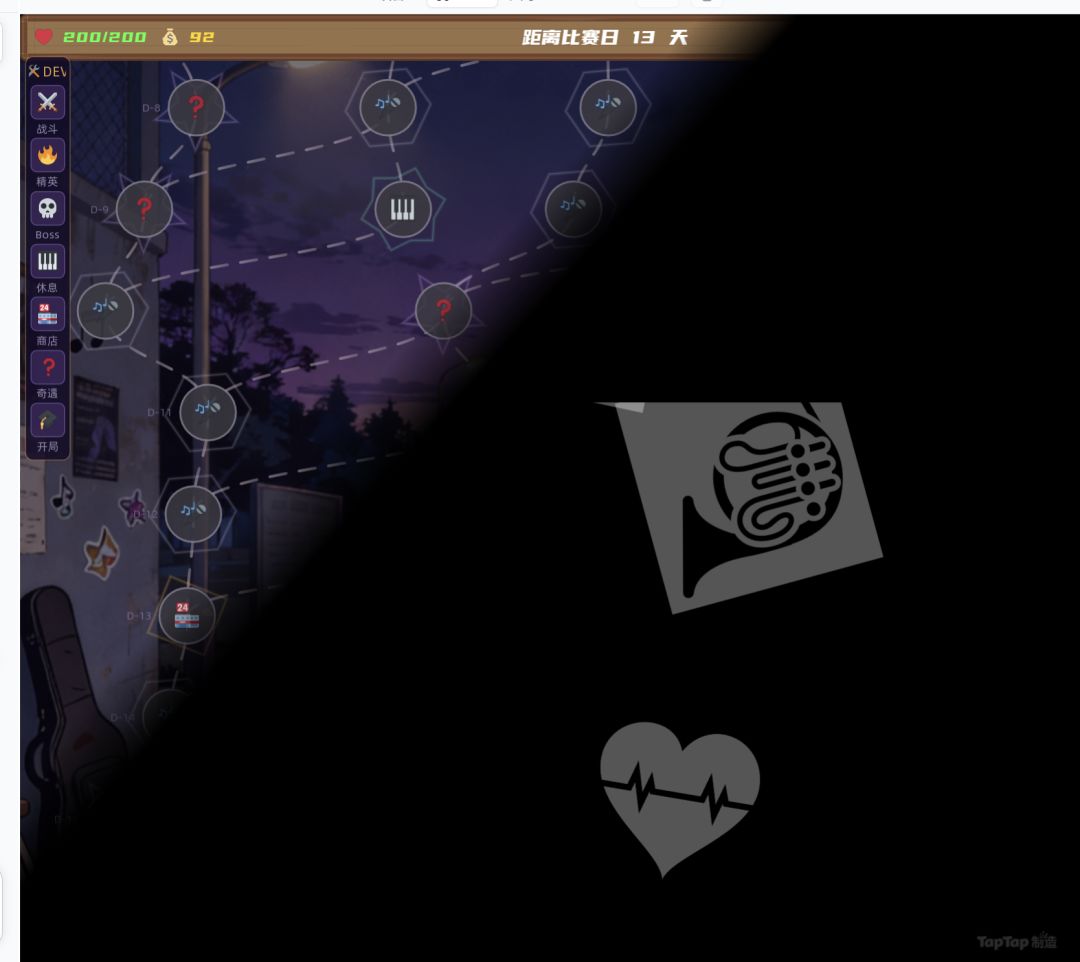
技术要点:
使用NanoVG进行自定义绘制
渐进式加载图标资源,避免首帧卡顿
随机角落选择,增加视觉多样性
《方格屋》:视频+网格转场

需求:需要增强剧情表现力的转场效果
实现方案:
标题页使用开门视频转场,增强沉浸感
剧情场景使用网格翻转转场,配合叙事节奏
多层fallback机制,确保转场可靠性
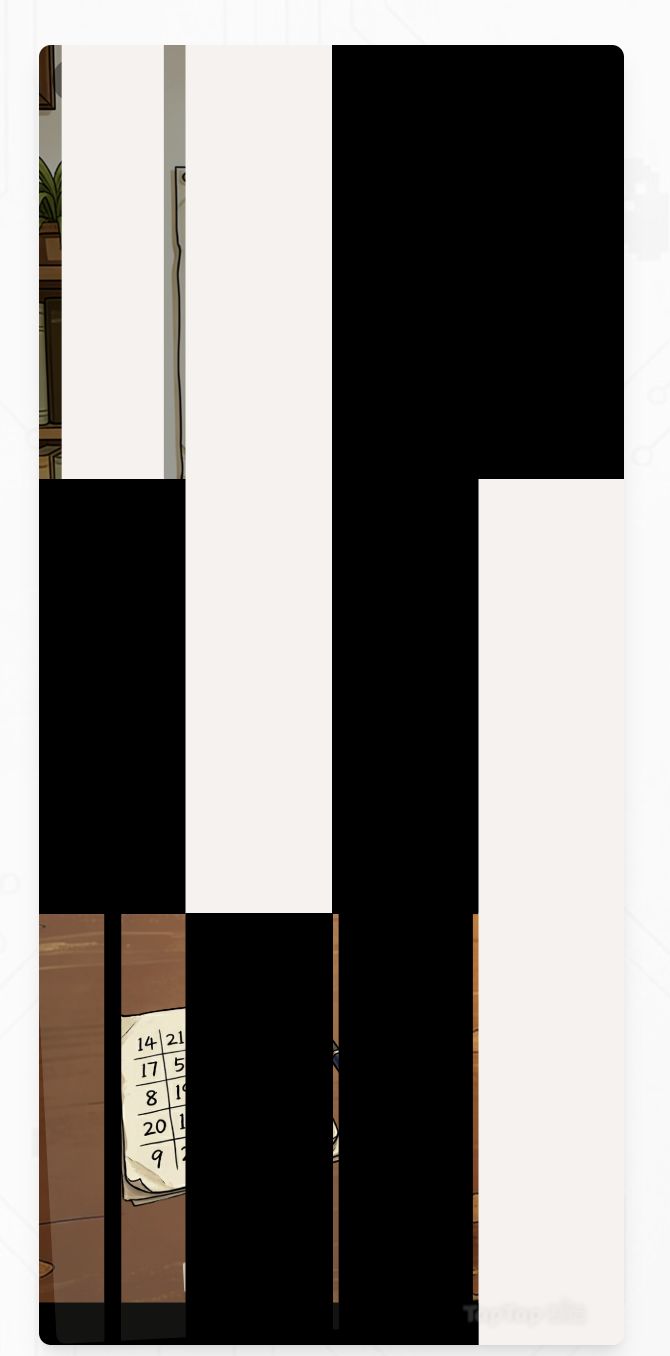
技术要点:
视频加载超时检测,自动降级到静态图片或网格转场
音频淡出同步,实现音画统一
跨平台兼容性处理,支持不同设备和浏览器
性能优化技巧
1. 资源管理
预加载:游戏启动时提前加载转场所需资源
资源池:实现资源复用,避免重复加载
压缩优化:使用合适的压缩格式减少资源大小
2. 渲染优化
硬件加速:利用GPU进行绘制
增量加载:每帧加载少量资源,避免卡顿
动态调整:根据设备性能调整转场复杂度
3. 可靠性保障
错误处理:添加详细的错误处理机制
超时检测:为视频等资源添加超时保护
fallback方案:提供多层降级方案
给开发者的6条建议
技术栈速查
TapTap Maker 内置工具
UI系统:创建各种转场效果
视频播放器:支持视频转场
NanoVG:用于自定义绘制效果
事件系统:用于转场状态管理
第三方资源
DOTween:轻量级动画库,支持各种缓动效果
Lerpz:线性插值库,适合实现基础转场
尾声
转场特效是游戏开发中一个看似简单却非常重要的环节,好的转场设计能够显著提升游戏的整体品质。通过本文的分享,希望能为TapTap Maker开发者提供一些实用的技术参考和思路启发。
在实际开发中,你可以根据游戏的具体需求和目标平台的特性,选择合适的转场类型和实现方案。不断尝试和优化,找到最适合你游戏的转场效果。
祝开发顺利!