
下载 App



一个skill解决塔拉啦偷懒搞外包导致幻觉!
05/25121 浏览开发交流 包含 AI 合成内容
最近使用的时候总是会出现幻觉现象,考虑到以前的塔拉啦并没有如此严重幻觉,所以针对这块做了些研究和总结,收集了各个幻觉的产生点,发现很多是task内出现的。
究其原因,就是
塔拉啦无脑转包了太多自己应该处理的任务给完全没有上下文的task新人
“如果把这个任务的 prompt 复制给一个刚入职的新人,他能完成吗?”
- 能 → Task
- 不能→ 需要自己处理
最后出了问题新人背锅。
最后写了个skill让 task-tool 的分配更加合理,减少因为缺少上下文导致的幻觉。
name: task-tool-rules
description: Rules and constraints for correct use of the Task tool. Use when you are about to call the Task tool to launch a sub-agent, or when deciding how to execute a task that involves running code, bash commands, or file operations. Prevents misuse of Task as a code execution environment.Task Tool RulesCore Principle: When to Use Task vs Handle DirectlyNeeds conversation context → Handle directly
Completely independent → Task agent
The one-question test: “If I copy this prompt to a new agent with zero conversation history, can it complete the task?”
- Yes → Task
- No (needs background from earlier in the conversation) → Handle directly
- Read, search, and write files (Read/Write/Edit/Grep/Glob)
- Execute shell commands (Bash agent)
- Browse the web, answer questions, plan implementations
Pass the file path as text; the agent calls Read/Grep/Glob on its own:✅ CORRECT:
Task("Read /workspace/scripts/main.lua and find all SubscribeToEvent calls")
❌ WASTEFUL:
Task("Here is the file content: [10000 tokens]... find all SubscribeToEvent calls")
What the Task Tool is NOTThe Task tool is NOT a code execution environment.❌ WRONG — using Task to run code:
Task("Run this Python script and return the output")
Task("Execute the build and check for errors")
✅ CORRECT — use Bash directly:
Bash("python3 script.py")
mcp__mkr__Bash(command="python3 script.py")
Agent PermissionsAll agent types share the same filesystem as the parent — no sandbox isolation. Sub-agents can write and delete files. Constrain behavior explicitly in the prompt if read-only is needed.AgentToolsCan write files?general-purposeAll (*)✅ YesExploreAll✅ Yes (but semantically read-oriented)PlanAll✅ YesBashBash only✅ Yes (via shell commands)Decision RuleNeedCorrect toolSearch for a function in the codebaseTask (Explore)Understand how a module worksTask (general-purpose)Plan an implementationTask (Plan)Read a specific known file pathRead tool directly (faster)Run a Python/Bash/shell commandBash directlyBuild/compile/test the projectBash or build tool directlyWrite a fileWrite/Edit directlyParallelism RuleWhen multiple Task calls are independent, launch them in a single message:✅ Parallel (one message, multiple tool calls):
[Task("Search file A"), Task("Search file B")]
❌ Sequential when parallel is possible:
Task("Search file A") → wait → Task("Search file B")
Result Storage
- Foreground: Result returns as text into conversation context. No file written.
- Background (run_in_background=true): Result written to a temp file; use Read or tail to retrieve.
- Results are never auto-persisted — write explicitly with Write tool if needed.


别再烧积分了!从每次 2000 到每次 50 的血泪经验
适用场景:所有在用 TapTap Code 开发游戏的小白
难度:★☆☆☆☆
背景最近群里总有人"炫耀"一次操作花了几千积分,说实话这不是值得高兴的事——这是在告诉所有人你的开发方式有根本性问题。我也走过这条弯路,所以来说说怎么改。
积分消耗的本质是什么积分 = AI 处理的 token 数量 = 你发给 AI 的内容 + AI 回给你的内容所以烧积分的本质只有两种:
你让 AI 做了大量无效/重
精华
@虎老大王
68 赞
21 回复
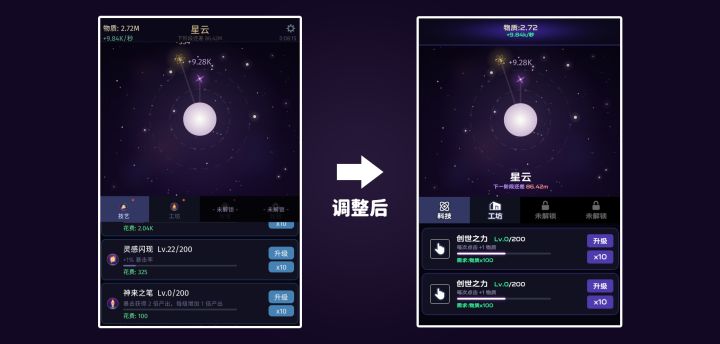
如何提升你游戏中的UI美术水平
一、请为你的游戏挑选一款合适的字体
很多开发者没有注意到其实UI界面中最重要的元素是字体,一款合适的字体能给整个游戏的界面感官带来蜕变。
请看案例
那么如何挑选适合自己的字体呢?
我总结出了一些小经验可供参考:
黑体:通用
宋体:古风、武侠、修仙
楷体:古风、武侠、修仙
圆体:卡通、动漫、Q版
科技:科幻、未来、电子
顺手分享一个免费可商用字体网站:
当然 如果你不知道自己的游戏适合什么风格
精华
@N3
122 赞
44 回复
01:27
《大二暑假,我用AI做了一款属于自己的游戏》
本人自制游戏现已加入taptap封闭测试(仅适配安卓机型)欢迎大家前来尝试(八月十号可以正式开始游玩)
如果有建议或者bug反馈可以加入qq群928501443
#发现好游戏 #游戏日常 #浅评一下 #今天游戏圈发生了啥
@多边形幸存者
3 赞
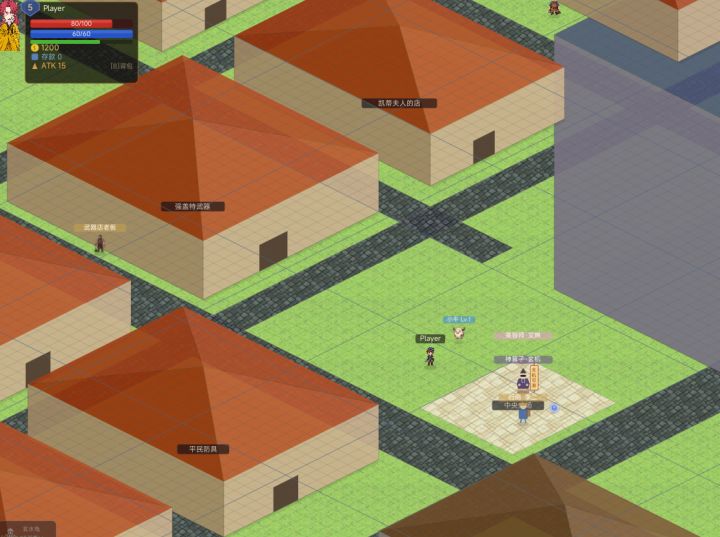
2D 等轴测视角:完整理论
2D 等轴测视角:完整理论
一、视角的本质
什么是等轴测
人站在高处斜着往下看地面,地面上的方格子不再是正方形,而变成了菱形。这就是等轴测的视觉本质。
俯视(正上方看下去): 等轴测(斜上方看下去):
┌──┬──┬──┐ ◇
├──┼──┼──┤ ◇ ◇
├──┼──┼──┤ ◇ ◇ ◇
└──┴──┴──┘ ◇ ◇
◇
正方形网格经过旋转 + 压缩,变成了菱形网格。
为什么是 2:1
@涅槃妙心 创想工作室
6 赞
03:06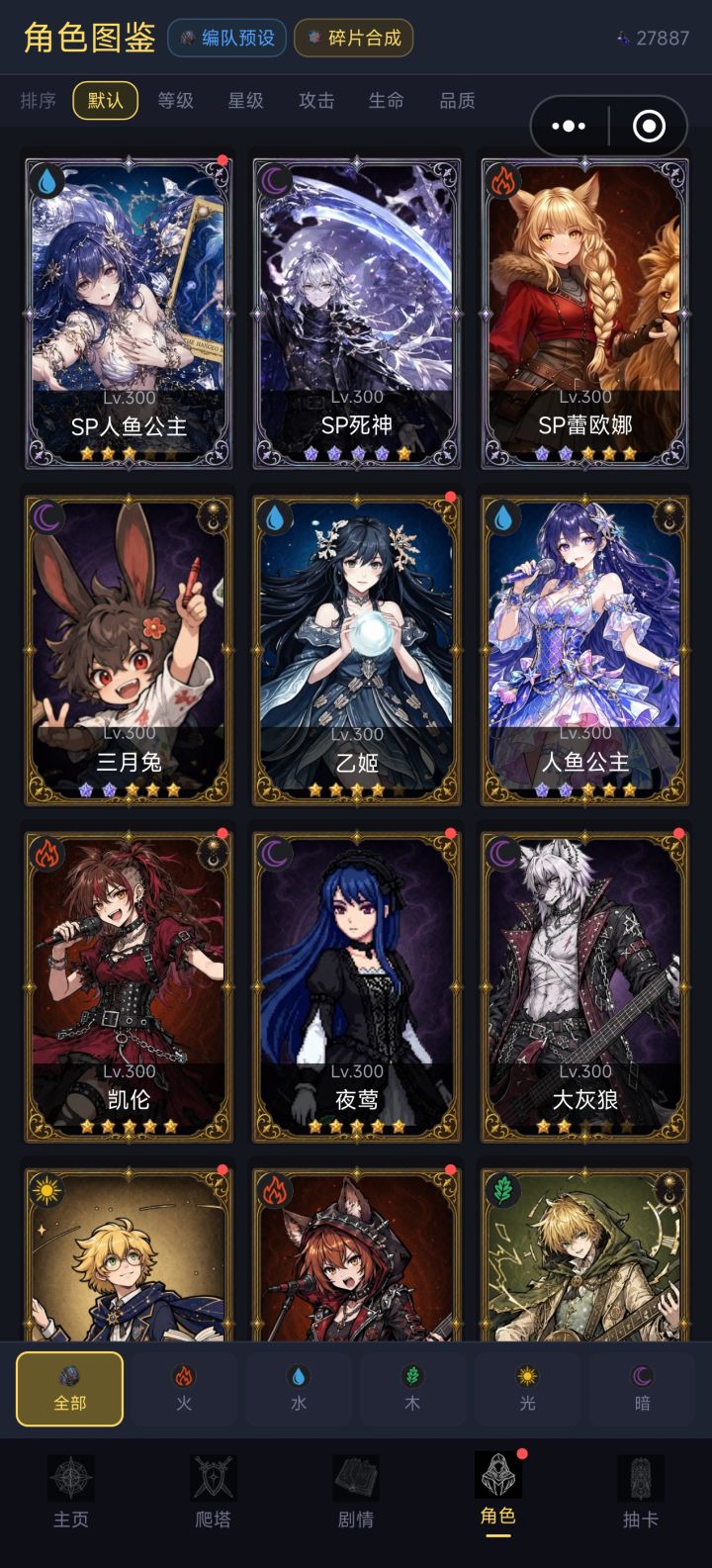
为了不被斩杀,我只能做到这些了
之前一直申请不到计划3,之前说太花哨,后面说体量完成度不足,在我一番小作文下,编辑终于给了我解答,什么原生质感,玩家开局体验啥的。
本来计划2也够用,准备以后再优化了,结果计划2赠送的积分要砍半了,学生党实在消费不起,于是只能再冲一波计划3了
从周六中午到现在一天半时间,优化了一遍角色卡,战斗卡,还有抽卡界面,优化了新手教程,该说不说确实比之前要舒服些。
前半部分为新版,后半部分为旧版。
明天再次
@才不是帅帅
33 赞
6 回复
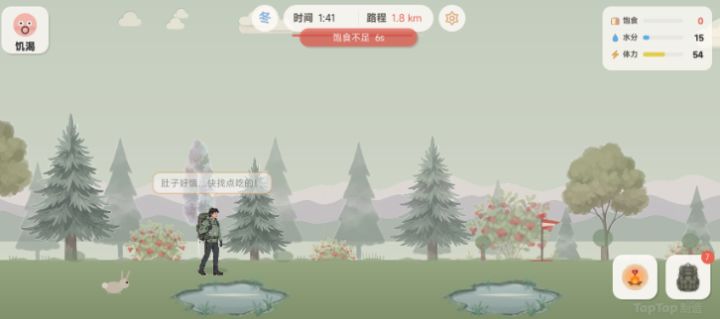
开发心得-界面布局心得
大家好,我正在用 TapTap 制造制作一款2D 治愈林间徒步旅行游戏《徒步荒野》。
我分享一下我的开发心得,希望能有用,下面是一些界面布局的心得。
第一步:定版式、操作
先确定游戏是横版还是竖版、需要哪些操作按钮,敲定整体玩法思路。
我的玩法灵感参考《边境之旅》,主打散步看风景、沿途触发随机事件。
原版是 3D,考虑到自己是新手,选择2D 横版街机式来做,制作更简单、好上手。
第二步:敲定全局美
@大圣
6 赞
3 回复
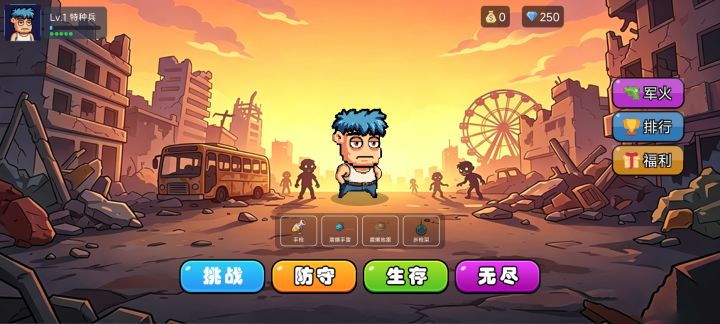
【游戏上新】——宅男打丧尸
这是一款横向俯视角射击生存游戏,主打"轻松上手、越玩越爽"的爽快体验。游戏目前已包含:
四种核心模式:挑战、防守、生存、无尽,满足不同玩家口味
多种枪械,从手枪到重型火力,打出自己的风格
地雷,手雷,枪架多种不同军火自由选择,给敌人造成最大伤害
完整的成长体系:角色等级、军火系统、被动技能,越肝越强
丰富的敌人设计:普通丧尸到多种 Boss,战斗层次感明显
未来会制作更多不同的角色,天赋,军火,玩
@青衫
4 赞
12 回复
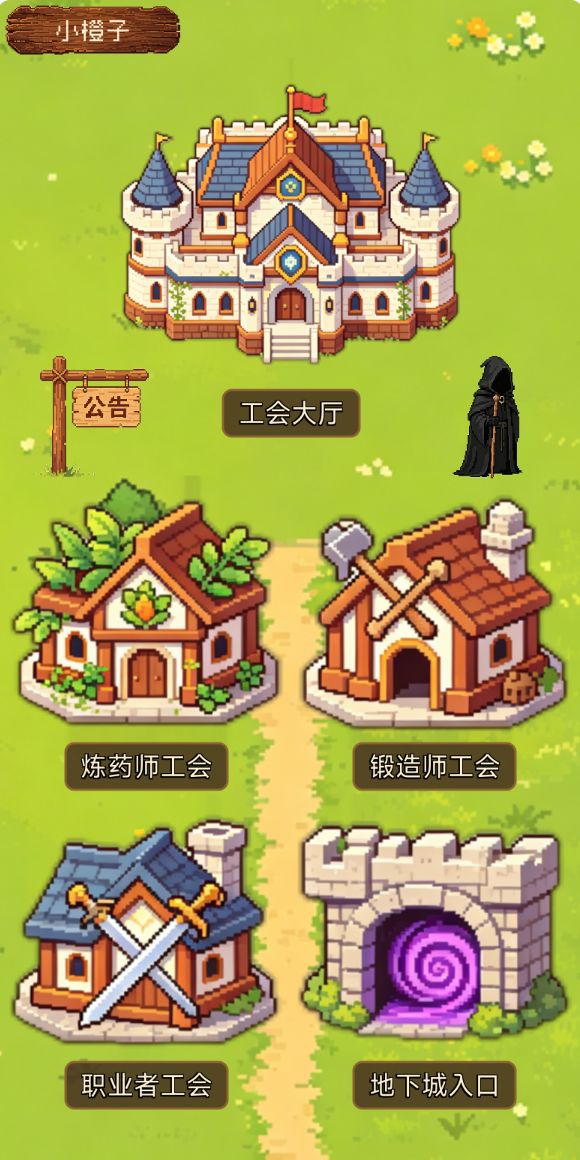
游戏自荐《少女终焉契约》
之前玩放置类型的rpg游戏的时候我就在想,现在游戏的操作有的太过于繁琐了,有没有一款休闲一点的,想上线就上线,离线的时候角色能自动行动的游戏呢?感谢TapTap制造,我按照我的想法开发出了现在这款游戏。
一、故事背景和UI
游戏的故事背景是传统的异世界穿越故事,玩家被女神召唤到异世界,随后组建工会,招募美少女,打怪升级探索世界。所以我选择了更加二次元萌系画风的UI风格,主页为各个主要的功能,点开来
@小橙子
8 赞
3 回复
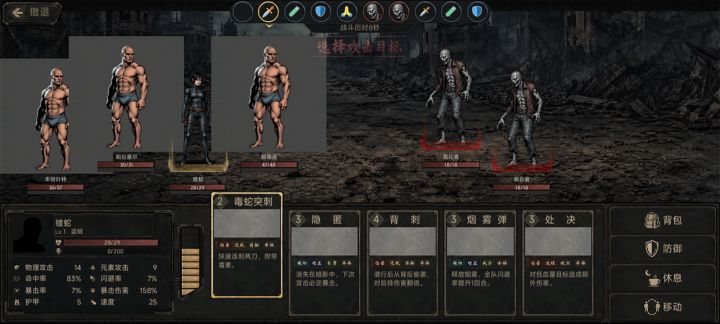
【UI教程】如何将已有的效果图应用为实际的UI界面
在经过了一些折腾和比较折磨的尝试后,我总算是摸清楚了嗒啦啦怎么把UI效果图转换为实际游戏中的UI组件,今天就给大家带来这部分的经验分享。
tips:1.本篇教程需要各位掌握最基本的ps使用,具体的操作部分我会大致讲解,但仍需各位自行学习ps的基本操作,部分可以由ai代劳的环节我会注明。
2.本篇教程需要在以我前两篇教程作为前置环节,请在阅读这两篇前置教程后再进行本篇教程内容的学习
在按照前
@织匠
10 赞
4 回复
永恒虚空持续开发日记1——关于游戏中的新名词:场频
写在前边:首先感谢TapTap制造版主大大@汪崽 对于作品潜力的肯定,给与了我积分计划二的权限[表情_不好意思]。这边也在加紧开发改进各种功能中,期望尽快给大家带来成熟的版本。[表情_猫咪举手]
大家好,我是永恒虚空的制作人黑猫不详,大家叫我黑猫就好。从今天开始我将以后置开发日记的形式给大家分享我在TapTap制造中制作的游戏永恒虚空的开发过程,新人希望大家多多关照!
今天先给大家介绍我作品中最重
投票
@黑猫•不详
3 赞